Imagine you send an enquiry to a small business at 10pm on a Tuesday. You get nothing back that night, nothing Wednesday morning, and by Thursday you have already moved on to someone else. The business owner, meanwhile, had no idea you were even interested. They just lost a client without ever knowing the door opened.
This happens constantly. Not because small business owners are disorganised or don’t care, but because enquiry handling is one of those jobs that lives in the gap between everything else. It needs to happen fast, it needs to happen consistently, and it needs someone paying attention at exactly the moment most people have switched off for the day.
That is precisely the kind of problem Make.com was built to solve.
What Make.com Actually Is
If you have never used it, Make.com is a visual automation platform that lets you connect different apps and build workflows without writing a single line of code. Think of it like plumbing for your business software. You define what flows where, under what conditions, and the system handles the movement while you get on with everything else.
It sits in the no-code / low-code category alongside tools like Zapier and n8n, but Make’s visual interface makes complex logic surprisingly straightforward to build and follow. You can see the whole workflow mapped out in front of you, which means it is easier to spot where something might go wrong before it does.
For enquiry handling, it is an almost perfect fit.
The Basic Building Blocks
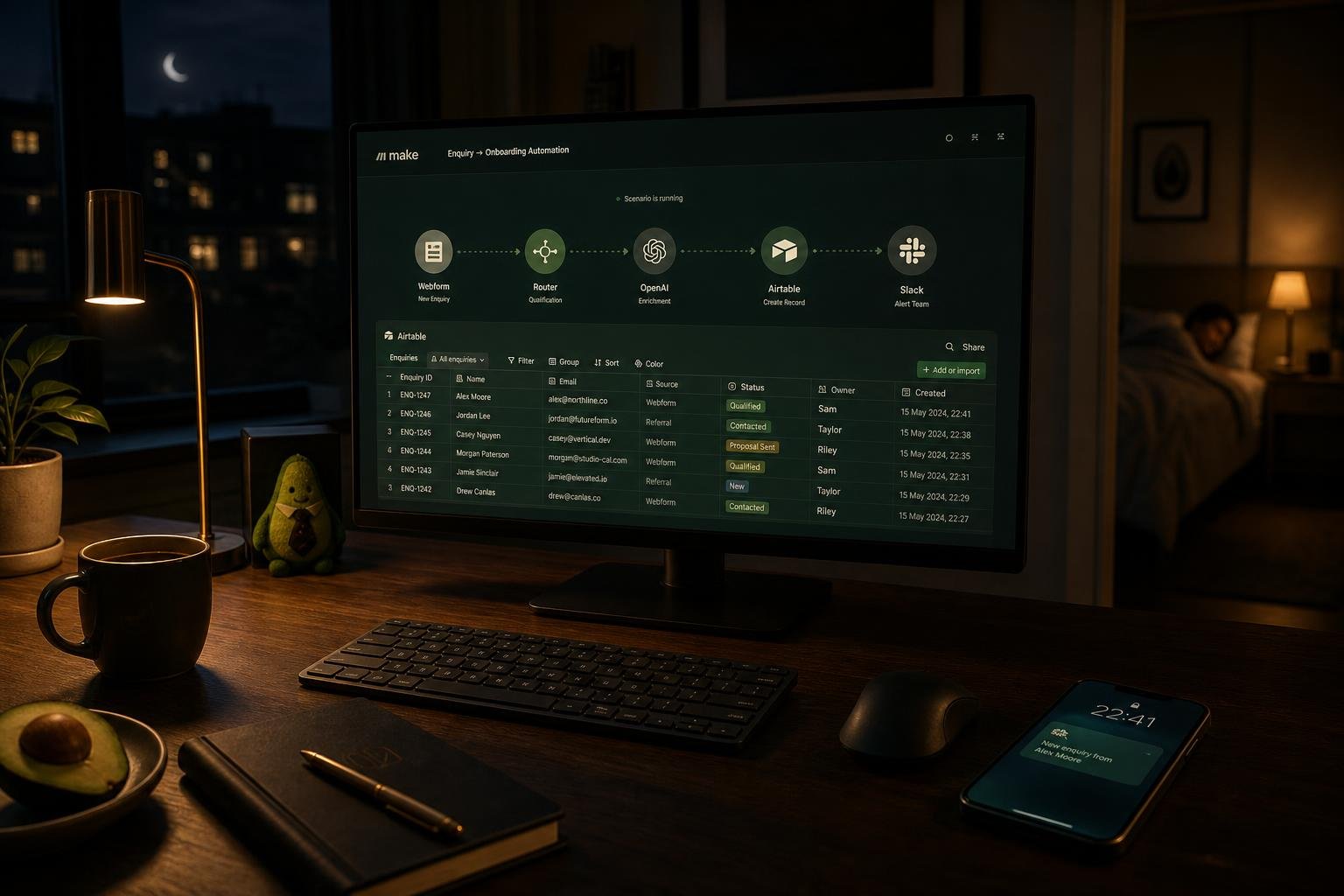
A solid enquiry automation for a small business usually has three jobs: respond, log, and flag.
Respond means the person who submitted an enquiry hears back immediately, even if you are asleep or in a meeting or somewhere without signal. A simple confirmation message, personalised where possible, that tells them their message landed and someone will be in touch. It sounds small. It is not. That immediate acknowledgement changes how the person feels about you before any human conversation has happened.
Log means every enquiry goes somewhere structured and searchable. An Airtable base works brilliantly here. Each submission becomes a record with a timestamp, the enquirer’s details, what they asked about, and the current status. Instead of hunting through emails or checking a form platform you visit once a week, you have a clean view of every open enquiry and where each one sits.
Flag means the right person gets notified at the right time. Not a torrent of emails for every submission, but a clear signal that something needs attention, sent to a Slack channel, a phone notification, an email summary, whatever actually gets seen. The goal is that nothing sits unnoticed, and the person who needs to act on it knows about it without having to go looking.
Those three functions, wired together in Make, give you a workflow that runs every time an enquiry comes in, regardless of when it arrives or whether anyone is at their desk.
Where Human Checkpoints Come In
Automation without oversight is just a faster way to make mistakes at scale. This is something worth building into your thinking from the start.
The enquiry workflow above is not designed to replace human judgement. It is designed to do the mechanical stuff so that your human judgement can be applied in the right place, at the right moment, with the right information already in front of you.
The human checkpoint here is the response to the enquiry itself. The automation sends an acknowledgement, but the actual reply, the one where you understand what they need and explain how you can help, that comes from you. What the system has done is make sure they are not left in silence, that their details are captured accurately, and that you know they are waiting. The conversation starts better because the admin has already happened.
You can add additional checkpoints depending on how sensitive the enquiries are. A trigger that flags high-value enquiries separately. A step that asks you to approve a templated proposal before it sends. A daily digest rather than individual pings so you are reviewing in batches. The point is that you design the human moments deliberately, rather than letting them happen by accident.
Why This One Changes How You Think
Most people who build their first serious automation have a version of the same experience. They set it up, test it a few times, and then a few days later they realise an enquiry came in at 11pm, was acknowledged, logged, and flagged, and they dealt with it fresh in the morning as if it had arrived in business hours.
Something shifts. Not just the relief that a task is handled, but the realisation that the whole category of “things I do manually because I have always done them manually” is worth looking at again.
Enquiry handling is a good place to start because the stakes are clear. A missed enquiry is a missed client. The time between someone reaching out and someone responding is a window that either builds confidence or kills it. Getting that right with automation is not about replacing warmth, it is about making sure the mechanical failures do not get in the way of it.
Once you have seen it working, it is very hard to look at your inbox the same way again.
If building this yourself sounds like more time than you have got right now, that is exactly the kind of thing Avocado AI helps with. We design and build custom workflow automations for UK small businesses, with human checkpoints built in from the start, so you get the efficiency without the guesswork.